Hotel Digital Menu: One System for Every Outlet, From Restaurant to Pool
A hotel digital menu for every outlet: one dish list for the restaurant, bar, pool and room service, with outlet prices, allergens, QR placement and tools compared.
On this page
- What is a hotel digital menu system?
- Why run every hotel outlet on one digital menu system?
- How do you plan a digital menu for each hotel outlet?
- How to set up one digital menu system for every hotel outlet, step by step
- Tools for running every hotel outlet on one digital menu
- What are the most common hotel digital menu mistakes?
- Frequently asked questions about hotel digital menus
- Put every outlet on one digital menu
A hotel digital menu works best as one system: a single list of dishes and drinks that feeds every outlet, so the restaurant, the bar, the pool and room service each show their own menu, hours and prices, but allergens, translations and price changes are managed in one place. Guests scan a QR code wherever they are, and every order arrives on the same board with the outlet and the room, table or sunbed number. This guide shows how to plan it outlet by outlet and set it up step by step.
Short answer: list your outlets and their opening hours, build one master list of items, give each outlet its own section or menu with its own prices, tag allergens and add translations once, then place a QR code at each outlet that asks for the right location number (room, table or sunbed). Route all orders to one order board plus an alert channel someone always watches, and change prices or hide sold-out items online instead of reprinting.
What is a hotel digital menu system?
A hotel digital menu system is software that publishes the menus of all your food and drink outlets online, opened by QR code on the guest’s own phone, and usually takes orders from them too. Instead of a printed folder in the room, a laminated card at the pool and a separate drinks list at the bar, you keep everything in one dashboard.
The difference from a restaurant QR menu is scale. A hotel serves the same guest in several places in one day: breakfast in the restaurant, a coffee in the lobby, lunch at the pool, a club sandwich in the room at 23:00. Each place has different hours, staff and prices, yet the guest expects the same allergen information and the same language everywhere.
Why run every hotel outlet on one digital menu system?
One system means you enter each dish, allergen and translation once, so a change in the kitchen reaches every outlet at the same moment. With separate tools or printed cards per outlet, the same club sandwich ends up with three different descriptions and, worse, three different allergen lists.
- One source of truth for allergens. The kitchen updates a recipe once; the restaurant, pool and room service menus all show the change.
- Translations done once. A dish translated for the restaurant is already translated for room service.
- Prices you can set per outlet. The same spritz can cost more at the rooftop than in the lobby, and you change either price without reprinting.
- One order board. Staff see every order with where it came from, instead of answering the phone for room service and walking the pool for drink orders.
- One report. You can compare what sells where, and cut dishes that only one outlet ever orders.
Speed matters too. In data from SuitePad, an in-room tablet vendor, covering more than 200,000 room service orders in over 500 European hotels, the median time to respond to an order was 2.4 minutes, and slower properties lost three times more orders to declines (Hospitality Net, August 2026). A single board that everyone watches is the simplest way to stay quick across several outlets.
How do you plan a digital menu for each hotel outlet?
Plan each outlet by four things: its hours, where the guest is when they order, which location number staff need to deliver, and how the guest pays. Fill in a table like this one for your own hotel before you build anything (the hours and details below are an example):
| Outlet | Example hours | Where the QR code goes | Location number | Menu focus |
|---|---|---|---|---|
| Restaurant | Breakfast 7:00–10:30, dinner 18:30–22:30 | Each table | Table number | Full menu, wine list, kids’ dishes |
| Lobby bar / café | 10:00–24:00 | Tables and the bar counter | Table number | Coffee, cocktails, snacks |
| Pool bar | 11:00–18:00, in season | Sunbeds, umbrellas, bar | Sunbed or table number | Drinks, salads, light meals |
| Room service | 7:00–23:00, short night menu after | Desk or bedside card | Room number | 15–25 dishes that travel well |
| Spa or rooftop | As your outlet opens | Loungers or tables | Lounger or table number | Juices, teas, light dishes |
Room service has its own rules for dishes, pricing and delivery; our hotel room service menu guide covers them in detail. The rest of this guide is about making all the outlets work together.
How to set up one digital menu system for every hotel outlet, step by step
Setting up one digital menu system takes seven steps: map the outlets, build a master item list, structure the menus, price per outlet, label allergens and translate, place the QR codes, and route the orders.
1. Map your outlets and who runs each one
Write down every place that sells food or drink, its hours by season, the kitchen or bar that prepares its orders, and who delivers them. The pool bar may be served by the main bar in low season and have its own team in summer. This map decides how orders must be routed in step 7.
2. Build one master list of items
Collect every dish and drink across all outlets into one list: name, short description, photo, allergens and recipe cost. You will find duplicates with small differences (“club sandwich” in room service, “classic club” at the pool). Merge them into one item with one recipe, so the kitchen makes it the same way everywhere and its cost is known. Our guide on how to price menu items shows how to cost each dish.
3. Structure the menus: sections or separate menus
You can give each outlet its own menu, or keep one menu with a section per outlet; pick the one your staff and guests will find simplest. Separate menus suit hotels where each outlet has its own QR code and team. One menu with sections (“Breakfast 7:00–10:30”, “Pool bar 11:00–18:00”, “Room service”) suits smaller hotels, and lets a guest in the room see what the bar offers too. Either way, put the hours in the section name or description, so a guest at 22:00 knows the pool menu is closed.
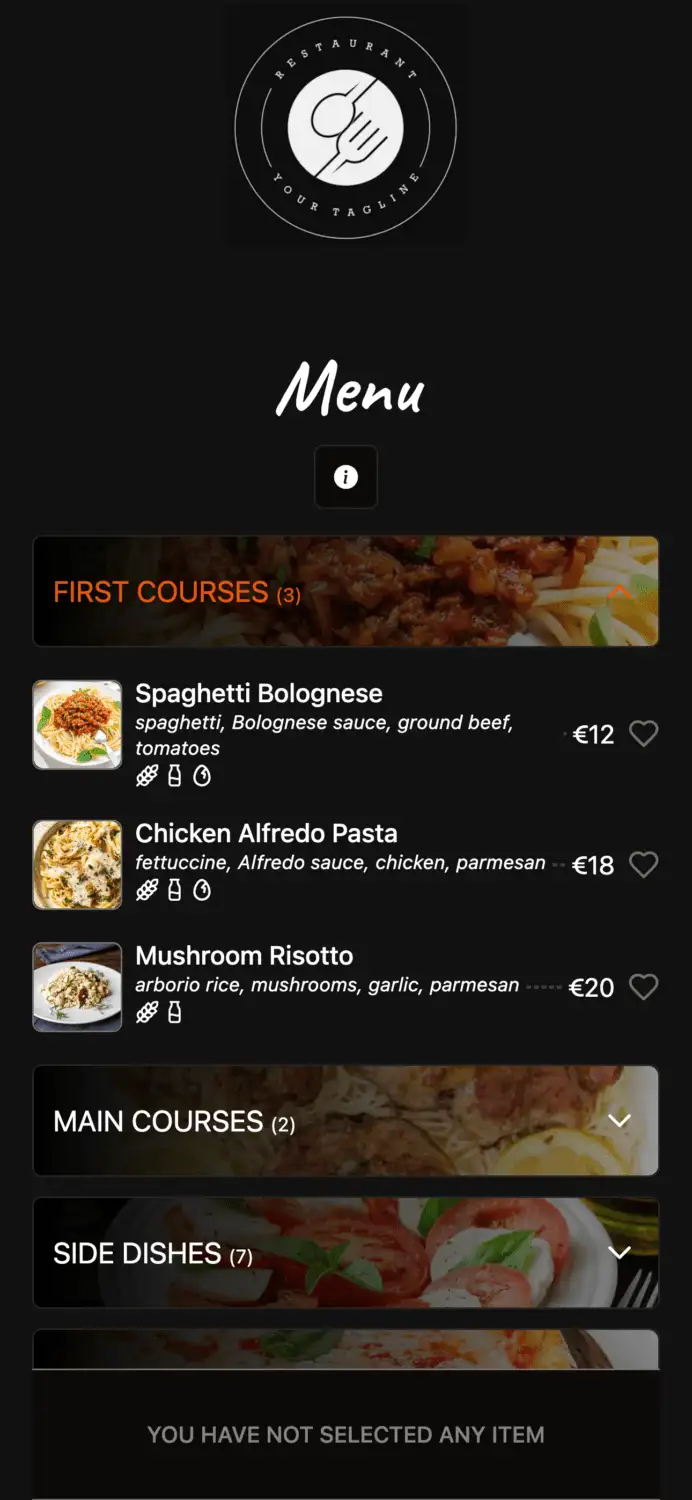
In Elegant Menu, the QR menu and ordering platform, you can organise outlets as categories in one menu, hide items that are not available, mark dishes sold out in one tap and change prices from your phone; every QR code shows the new menu straight away. Guests order and enter their table or room number in the number field of the order form, add notes such as a delivery time, and follow the order’s status on their phone. Keep the plan limits in mind: the Free plan allows 6 categories with 15 items each, which a hotel with four outlets fills quickly (pricing).
4. Set prices per outlet
Price every item from its cost first, then decide on purpose where an outlet charges more, for example for delivery to the room or a view from the rooftop. Write the rule down so prices stay consistent when you add items. An illustrative example, prices before VAT:
| Item | Cost | Lobby bar | Pool bar (+10%) | Room service (+15%) |
|---|---|---|---|---|
| Espresso | €0.17 | €1.80 | €2.00 | €2.10 |
| Spritz | €1.69 | €7.00 | €7.70 | €8.00 |
| Club sandwich | €4.20 | €14.00 | €15.40 | €16.10 |
| Caesar salad | €3.30 | €12.00 | €13.20 | €13.80 |
Be careful with large separate fees. In the same SuitePad data, a 10–15% price increase raised room service revenue by 16.6% with no measurable drop in orders, while one property that added a €17.85 service fee saw monthly orders fall from 87 to 5 (Hospitality Net). Drinks follow their own targets; see how to price drinks with the pour cost formula. VAT rates can differ between food, soft drinks and alcohol, and between eating in and taking away, so check your country’s rates before you set the menu prices.
5. Label allergens and translate once
Tag allergens on the master item, not per outlet, so every menu shows the same information. A guest ordering from a sunbed or a hotel room cannot easily ask a waiter, so the menu has to answer the question. In Elegant Menu, every dish can be tagged with all 14 allergens in EU food rules (cereals containing gluten, crustaceans, eggs, fish, peanuts, soybeans, milk, nuts, celery, mustard, sesame, sulphites, lupin and molluscs), shown to guests as icons on each dish, to help you meet EU allergen requirements; your team still decides which allergens each dish contains, so the labels are only as accurate as what you enter. For the full list and how to label each dish, read the 14 allergens: how to label them on your menu.
Then translate the menu into your guests’ main languages, taken from your booking data. Elegant Menu includes 1 translation language on Basic and 8 on Standard. Our guide on how to translate your restaurant menu for tourists explains which languages to pick and which dish names to keep.
6. Place QR codes that ask for the right number
Put a QR code where guests decide to order, with one line that tells them what it opens and which number to enter. Examples: “Scan to order to your sunbed. Enter the number on the sign” at the pool, “Room service 7:00–23:00. Scan and enter your room number” on the desk. Test every code on an iPhone and an Android phone, on the Wi-Fi of that outlet, before you roll out. A sign in the lobby that lists all outlets with their hours helps guests choose where to eat.
7. Route orders to the people who make and deliver them
Every order must reach the kitchen or bar that prepares it and the person who carries it, with the outlet and the location number. Use your outlet map from step 1. In Elegant Menu, orders land on a live order board where staff move them from pending to preparing to ready; on Standard you can add automatic receipt printing and order updates in Telegram for 2 users, and on Premium Telegram for up to 7 users. Decide who watches the board at quiet hours, such as late room service, so no order waits.
Payment follows the outlet: guests can pay online when they order, or you settle with them your usual way, for example by adding the order to the room bill. If you need orders posted automatically to the guest folio in your PMS, choose a tool built for that (see the table below); Elegant Menu does not post charges to a PMS, so staff add room-charge orders themselves.
Tools for running every hotel outlet on one digital menu
Tools for hotel digital menus range from simple QR menus with ordering to hotel platforms that link to your POS and PMS. We checked each on its own website in November 2026 and list only what the vendor states:
| Tool | What it states for hotel outlets | Starting price (published) |
|---|---|---|
| Elegant Menu | QR menu with ordering; room or table number in the order form; live order board and order-status page; all 14 EU allergens; translations (1 language on Basic, 8 on Standard); Telegram alerts on Standard and above | Free plan; Basic €7/month billed yearly (pricing) |
| MenuForma | QR codes per room number with immediate or scheduled room service; multiple restaurants and menus from one account on Regular; tagging for the EU’s 14 allergen categories | Free Forever $0; Regular $9.99/month (MenuForma) |
| Hoteligy | Multiple menus, each assigned to a consumption centre such as restaurant, bar, pool and room service; menus shared or duplicated between hotels in a group | Not published |
| Nonius | Guests order by QR from their room, restaurant, pool, bar or any other location; pay online or charge to the room; orders go to the POS | Not published |
| GoTab | Ordering and POS for “complex venues with multiple revenue centers”; Hotels & Resorts listed; Hotel PMS among integration categories; multiple zones on Pro and Sync | Basic $15/month per location |
| Restajet | QR menu with ordering from hotel rooms; multiple languages; allergen information | Not published (demo on request) |
Where each fits: if orders must post to the guest folio or your POS, Nonius and GoTab are built around those integrations, and Hoteligy is designed for menus per outlet across a hotel group. If you want to start today without a sales call, Elegant Menu and MenuForma both publish a free plan; MenuForma also states multi-restaurant management on its paid plan. Elegant Menu’s paid plans add more orders per month (100 on Basic, 1,500 on Standard, 3,000 on Premium), translations and automatic receipt printing on Standard.
What are the most common hotel digital menu mistakes?
The most common hotel digital menu mistakes are duplicated items with different allergen data, missing hours and orders nobody owns.
- Copying items between outlets by hand. Each copy drifts; one day the pool menu says “no nuts” and the restaurant says “contains nuts”. Keep one item.
- No hours on the menu. Guests order from the pool menu after the pool bar has closed. Put hours on every section.
- One QR code with no location number. Staff get an order with no room or sunbed to deliver to. Make the number field part of every order.
- Nobody owns the board at quiet times. Late room service orders wait. Name a person or device for every hour the outlets are open.
- Surprise outlet fees. A charge the guest only sees on the bill feels unfair. Build the premium into the price or show it on the menu.
Frequently asked questions about hotel digital menus
Do I need a separate menu for each hotel outlet?
No, a single menu with one section per outlet works for many smaller hotels, while larger hotels often prefer a separate menu and QR code per outlet. What matters is that each item, with its allergens and translations, exists only once.
Can the same dish have different prices at different outlets?
Yes, many hotels charge more for room service or a rooftop bar than for the lobby. Decide the rule (for example +10% at the pool) and show the price clearly on each outlet’s menu.
How do guests order at the pool with a QR code?
Guests scan a code on the sunbed, umbrella or a sign, choose their items and enter the sunbed or table number in the order form. Staff see the order on the board and bring it to that number.
Can orders be charged to the guest’s room?
Yes, but automatic posting to the room bill needs a tool that integrates with your PMS or POS, such as those that state it in the table above. With simpler QR menus, guests pay online or staff add the order to the bill themselves.
How often should hotel menus be updated?
Update a digital menu whenever something changes: a sold-out dish, a new supplier price or a seasonal outlet opening. Because changes go live online, there is no reason to wait for a reprint.
Put every outlet on one digital menu
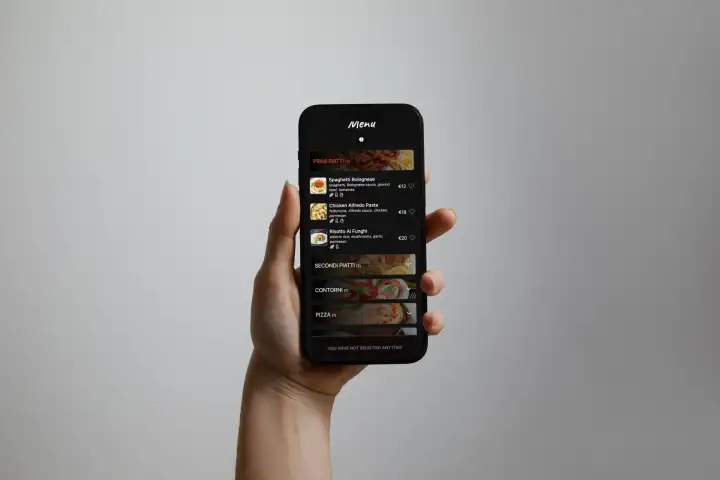
Start with one outlet, such as room service or the pool bar, then add the others to the same menu once the team is comfortable. Elegant Menu is free to start, with allergen icons, room and table numbers and a live order board when you turn on ordering. See how a live menu looks on a guest’s phone first.
Comments